How to Track ChatGPT, Perplexity, and Gemini Traffic in GA4: A Complete 2026 Setup Guide
Last updated: July 28, 2026 If your Direct traffic has quietly climbed over the past few months, some of it is probably coming from ChatGPT, Perplexity, Gemini, or Claude. On May 13, 2026, Google Analytics 4 added a native “AI Assistant” channel to its Default Channel Group — the first time AI-driven traffic has been […]


Last updated: July 28, 2026
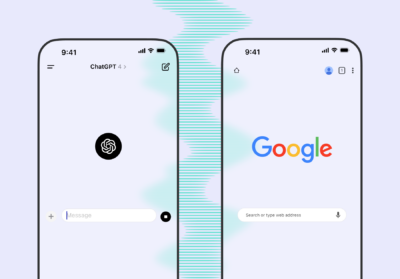
If your Direct traffic has quietly climbed over the past few months, some of it is probably coming from ChatGPT, Perplexity, Gemini, or Claude. On May 13, 2026, Google Analytics 4 added a native “AI Assistant” channel to its Default Channel Group — the first time AI-driven traffic has been separated from ordinary referral traffic by default, with no configuration required. But the native channel solves only part of the measurement problem, not all of it. This guide covers what the new channel actually does, where you still need a manual custom channel group, how to confirm AI crawlers are reaching your site at all, and when it’s worth exporting to BigQuery before your traffic history ages out.
Short answer: full AI traffic measurement in GA4 in 2026 means combining four things — the native “AI Assistant” channel, a backup custom channel group with regex for platforms Google hasn’t officially named, server log analysis to confirm AI crawler access, and a BigQuery export if you need trend data beyond GA4’s built-in retention window. No single piece gives you the complete picture on its own.
What AI traffic is, and why GA4 used to hide it
AI traffic refers to sessions where a visitor lands on your site after interacting with an AI assistant — clicking a citation inside a ChatGPT, Perplexity, or Gemini answer, or manually typing a URL they saw in a chat response. For most of 2025 and into early 2026, GA4 had no built-in way to recognize this traffic. Any session coming from ChatGPT looked identical to a link from a random referring domain, and teams that wanted visibility had to build their own regex-based channel group from scratch (cardinalpath.com). If the AI tool or browser didn’t pass a referrer header at all, the visit landed in Direct instead.
The native “AI Assistant” channel: what changed on May 13, 2026
On May 13, 2026, Google added a native “AI Assistant” channel to GA4’s Default Channel Group. When GA4 detects a session with a referrer matching a recognized AI domain, it now automatically tags the session with medium ai-assistant, files it under the “AI Assistant” channel, and sets a reserved campaign label — no tags, no GTM changes, and no custom channel group needed for most accounts (seosherpa.com, buttonblock.com). Broad availability across properties was reached around June 4–7, 2026 (cardinalpath.com, digitalapplied.com).
There is no backfill: GA4 processes this classification forward only, so traffic from before the rollout date keeps whatever classification it originally received (finance.yahoo.com/Access Newswire).
Here’s where reporting gets genuinely confusing — sources disagree on exactly which platforms are covered. Google’s original launch announcement named three platforms: ChatGPT, Gemini, and Claude (enterprisedna.co, salesdoubler.pro). A subsequent update to the live documentation reportedly expanded the named list to include Deepseek, Copilot, and Grok (digitalapplied.com, inseeq.com). One source citing Semrush claims Perplexity is now included as well, alongside “more than 20” AI assistants in total (marketingagent.blog) — while another source, checked closer to the initial launch, states plainly that Perplexity is not in the channel and still lands in Referral (digitalapplied.com, inseeq.com). Given this inconsistency across secondary sources, the safest approach is to verify the current, exact platform list directly against Google’s own Default Channel Group documentation before you report a number to a client or your board — don’t rely on any single blog post, including this one, as the final word.
Two structural limits apply regardless of which platforms end up on the list:
- It depends entirely on the referrer header. Mobile apps and private-browsing modes that strip this header will still send the session to Direct (multiple sources above confirm this mechanism).
- Google’s own AI Overviews and AI Mode are explicitly excluded. That traffic continues to be counted as ordinary Organic Search, not “AI Assistant” — Google’s documentation specifically excludes traffic from Google’s own AI Overviews and AI Mode search features, handling those separately under the organic search channel infrastructure. If you’re trying to measure the impact of AI Overviews specifically, this channel won’t help — you need Google Search Console data instead.
Let your customers find you, wherever they look.
Is the old method (custom channel group with regex) now obsolete? No
Before May 2026, the only way to isolate AI traffic was to manually build a custom channel group with a regex matching domains like chatgpt.com, perplexity.ai, or gemini.google.com against the Session Source dimension (cardinalpath.com). This approach still matters for three reasons:
- It can cover platforms outside Google’s named list — useful given the ongoing ambiguity around exactly which tools the native channel recognizes.
- It provides an independent cross-check. Running both classifications in parallel for a week or two lets you see which one captures more real sessions before you decide which is your source of truth.
- It preserves historical continuity. Since the native channel doesn’t backfill, your existing regex segment is still the only way to see AI-driven sessions from before May 2026 (cardinalpath.com).
Example regex to extend an existing custom channel group:
chatgpt\.com|chat\.openai\.com|perplexity\.ai|claude\.ai|copilot\.microsoft\.com|gemini\.google\.comAI bots vs. real users: a different measurement layer entirely
GA4, being JavaScript-based, never sees bot traffic — and bot access is a separate, equally important layer of AI visibility. Bots split into three functional categories: training crawlers (GPTBot, ClaudeBot, Google-Extended), live-search crawlers (OAI-SearchBot, PerplexityBot, Claude-SearchBot), and user-invoked fetchers (ChatGPT-User, Perplexity-User), each requiring its own robots.txt directive. Confirming bot access requires reading raw server logs directly:
grep -E "GPTBot|OAI-SearchBot|ChatGPT-User|ClaudeBot|PerplexityBot|Meta-ExternalAgent" /var/log/nginx/access.logIf your logs show no OAI-SearchBot activity at all, that’s a signal your site may be technically unreachable for AI search — worth checking before you invest in measuring click-through traffic that may never materialize.
Retention limits and why a BigQuery export matters
GA4’s UI caps event-level data retention at a maximum of 14 months, and the AI Assistant channel has only existed since May 2026 — so there is no way to reconstruct a longer historical trend after the fact. If board-level reporting on AI traffic growth over a full year or more matters to you, start exporting raw GA4 events to BigQuery now, before the retention window forces a gap in the data. The standard export is free on a standard GA4 property; the real cost is learning the schema (nested repeated records, multiple competing traffic-source structures, no native session-level table).
Implementation checklist
- [ ] Check Reports → Acquisition → Traffic acquisition for a row labeled “AI Assistant” (available since May 13, 2026; broad rollout by June 7).
- [ ] Verify the current list of recognized platforms directly on Google’s Default Channel Group help page — don’t rely on secondary sources, which disagree.
- [ ] Keep or build a custom channel group with regex to cover any platform not on Google’s confirmed list.
- [ ] Run both classifications in parallel for 1–2 weeks and compare session counts before choosing a source of truth.
- [ ] Pull 30–90 days of raw server logs and check for GPTBot, OAI-SearchBot, PerplexityBot, and ClaudeBot activity.
- [ ] Audit
robots.txtfor accidental blocks on AI search crawlers. - [ ] Turn on GA4 → BigQuery export if you need trend data beyond 14 months.
- [ ] Update Looker Studio dashboards —
sessionDefaultChannelGroupinganddefaultChannelGroupnow return “AI Assistant” as a value. - [ ] Add a note to any board-facing report explaining that a 10–30% drop in Direct traffic post-rollout is a reclassification, not a decline.
FAQ
Partly. Since May 13, 2026, the native “AI Assistant” channel recognizes traffic from several major assistants without configuration, but it depends on a referrer header being present and doesn’t cover every AI platform — sources disagree on the exact list, so verify it directly.
No. Google AI Overviews and AI Mode traffic remains classified as Organic Search. To measure that specifically, use Google Search Console, not the AI Assistant channel.
Not immediately. Keep it running in parallel for a few weeks, compare session volumes against the native channel, and only then decide which one is your source of truth — especially since the native channel has no backfill for historical data.
No. GA4 only shows click-through traffic — visits that happened because someone actually clicked a link inside an AI answer. It won’t tell you how often a model mentioned your brand without a link, or how it described you. That requires separate prompt monitoring, independent of web analytics.
Basic setup (verifying the channel plus a regex backup) takes a few hours. Server log analysis and a BigQuery export decision typically take a few days of technical and analytics work, depending on infrastructure access.
GA4’s AI traffic measurement changed meaningfully in 2026, but the native channel doesn’t remove the need to think about the full picture: referrers are still incomplete, Google’s own AI Overviews never touch this channel, and crawler bots live in an entirely different data layer than user sessions — and even the platform list for the new channel itself is being reported inconsistently across sources as of this writing. If you need a number precise enough to defend a budget decision, combine all four measurement layers above rather than trusting any single one.
If you want confidence that your GA4 and GTM setup is actually catching AI traffic — not just configured to look like it is — that’s exactly what an Google Analytics & GTM audit is built to check; mismatches between old segments and the new AI Assistant channel are one of the most common findings. Traffic measurement is only half the picture, though: if you also want to know what models are actually saying about your brand before anyone clicks through, that’s covered by a Brand Search Presence audit.
Sources: Google Analytics documentation, industry reporting on the May 2026 GA4 update (Enterprise DNA, Search Engine Land via Button Block and SEO Sherpa, Cardinal Path, DigitalApplied, inseeq, Marketing Agent Blog, Yahoo Finance/ACCESS Newswire, SalesDoubler). Reported platform coverage for the AI Assistant channel is inconsistent across secondary sources as of this writing — verify current coverage directly with Google before publishing a definitive list. Recommended quarterly review given how fast this feature is evolving.