The vital role of e-commerce analytics audits for online business growth
Data has become a core asset in e-commerce. The ability to collect, interpret, and act on insights from user behavior often determines whether a business grows or struggles. An e-commerce analytics audit plays a central role in turning raw numbers into useful insights.
Key takeaways
- An e-commerce analytics audit checks whether your data is accurate, complete and compliant, so that marketing, pricing and UX decisions rest on real numbers.
- The core is GA4 and Google Tag Manager: e-commerce events, key events, consent mode, data filters, attribution and a match between GA4 and backend revenue.
- Universal Analytics is gone. Views, goals and Enhanced Ecommerce no longer exist; audits based on old checklists miss the problems that matter today.
- Run a full audit at least once a year, and a focused one after every redesign, platform migration or tracking change, and before peak season.
- Add AI search to your measurement: check GA4’s AI Assistant channel and extend it to AI sources it doesn’t recognise yet.
Data drives decisions in e-commerce: which campaigns to scale, which products to promote, what to fix in checkout. If the data is wrong, those decisions are wrong too, often without anyone noticing. An e-commerce analytics audit checks whether your tracking is set up correctly, whether the numbers match reality and whether you collect data lawfully, and turns the findings into a list of fixes.
Let your customers find you, wherever they look.
Why do e-commerce analytics audits matter?
- Wrong data costs money. Duplicate purchase events can inflate revenue and ROAS, while missing events can make a profitable channel look unprofitable.
- Tracking breaks silently. A theme update, a new checkout app or a cookie banner change can stop events from firing without any visible error.
- Privacy rules changed measurement. In the EEA, Google requires consent signals through Consent Mode v2 to keep measurement and remarketing working.
- Optimization depends on it. A/B tests, funnel analysis and bidding strategies are only as good as the events they use.
What does an e-commerce analytics audit check? (GA4 checklist)
Universal Analytics stopped processing data on July 1, 2023 (July 1, 2024 for 360 properties). The checklist below is for Google Analytics 4 and Google Tag Manager. Still migrating? See moving from Universal Analytics to GA4.
1. Implementation and tag management
| Check | What good looks like |
|---|---|
| GA4 tag on every page | One GA4 configuration (Google tag), no duplicate installations via theme, plugin and GTM |
| Google Tag Manager | Clear naming, no unused tags, triggers documented, versions published with notes |
| Environments | Separate test property or GTM environment for staging, so test data doesn’t reach production reports |
| Cross-domain and subdomains | Payment gateways and subdomains configured so sessions aren’t split |
| Referral exclusions | Payment providers (e.g. PayPal, Przelewy24) listed as unwanted referrals |
2. E-commerce events and key events
| Check | What good looks like |
|---|---|
| Funnel events | view_item_list, select_item, view_item, add_to_cart, view_cart, begin_checkout, add_shipping_info, add_payment_info, purchase, refund |
| Items array | item_id, item_name, price, quantity, item_category and currency on every event, with IDs that match your product catalog |
| Purchase event | Fires once per order, with a unique transaction_id, value, tax and shipping |
| Key events | Only the actions that matter to the business are marked (in March 2024, GA4 renamed conversions to key events) |
| Site search | view_search_results with the search term, so you see what customers look for |
3. Data quality and reconciliation
| Check | What good looks like |
|---|---|
| GA4 vs backend | Orders and revenue compared with your store platform or ERP for the same period; gaps explained (consent, ad blockers, refunds) |
| Duplicate events | No double page views or purchases from thank-you page reloads or multiple tags |
| Internal and developer traffic | Internal traffic defined and the data filter switched from Testing to Active |
| Bot traffic | GA4 excludes known bots automatically; check for unexplained spikes from one country or source with zero engagement |
| “(not set)” and Unassigned | Low share of unattributed traffic in landing pages and channels |
4. Consent and privacy
| Check | What good looks like |
|---|---|
| Consent Mode v2 | All four signals (ad_storage, analytics_storage, ad_user_data, ad_personalization) passed from the consent banner; required for EEA traffic since March 2024 |
| Tags before consent | No marketing tags fire before the user makes a choice |
| Personal data | No emails, names or phone numbers in URLs, events or parameters sent to GA4 |
| Data retention | Set to 14 months in standard GA4 properties (the default is 2 months) |
5. Attribution and integrations
| Check | What good looks like |
|---|---|
| UTM tagging | Consistent UTM naming for all campaigns, newsletters and social posts |
| AI traffic | The default AI Assistant channel (since May 2026) is populated; add a custom channel group for AI sources it doesn’t classify, such as perplexity.ai or copilot.microsoft.com |
| Google Ads, Merchant Center, Search Console | Linked to GA4; key events imported to Google Ads where needed |
| Meta and other pixels | Firing once per event, with deduplication between browser pixel and Conversions API |
| BigQuery export | Enabled for raw data and history beyond GA4’s retention limits |
More on attribution in GA4 attribution models and custom tracking, and on raw data in GA4 and BigQuery.
Make your brand the answer, across every search channel.
What else should an e-commerce website audit cover?
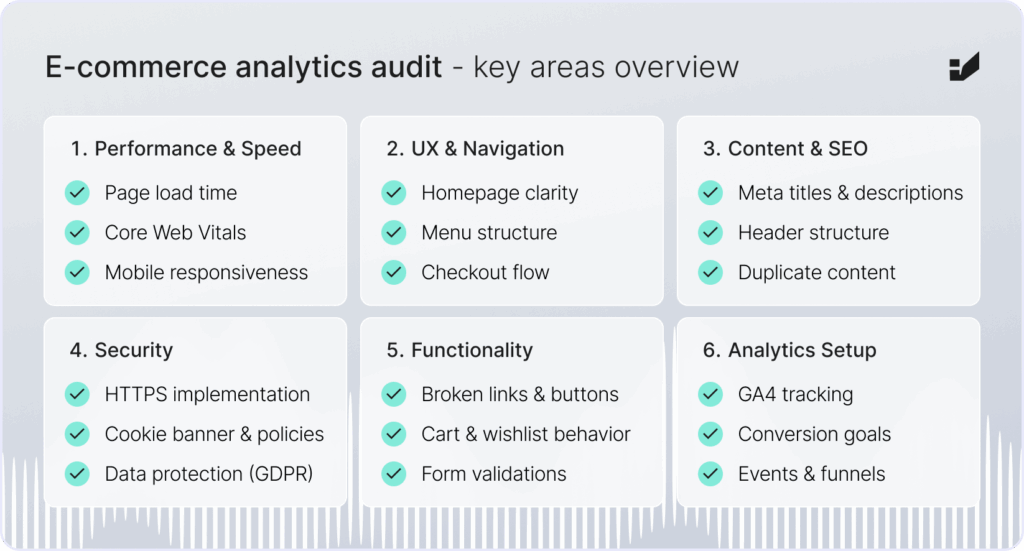
An analytics audit often reveals problems on the site itself. A full e-commerce audit adds these areas:
| Area | What to check | Why it matters |
|---|---|---|
| Speed | Core Web Vitals in field data: LCP ≤ 2.5 s, INP ≤ 200 ms, CLS ≤ 0.1 (web.dev) | A 0.1 s faster mobile site lifted retail conversions by 8.4% |
| UX and checkout | Navigation, search, filters, guest checkout, delivery costs shown early | About 70% of carts are abandoned |
| Technical SEO | Status codes (2xx, 3xx, 4xx, 5xx), sitemap, robots.txt, canonicals, duplicates (technical SEO audit) | Pages that can’t be crawled can’t rank or be cited by AI |
| Content | Unique product descriptions, alt text, headings, internal links (content audit) | Content drives both search and conversion |
| Security | SSL, two-factor authentication for admins, updated plugins, PCI DSS-compliant payments, backups | Trust and data protection |
| Functionality | Cart, promo codes, filters, forms, account and integrations (CRM, shipping, reviews) | Small bugs block sales |
When should you run an e-commerce analytics audit?
| Trigger | Why |
|---|---|
| New analytics setup or GA4 property | Confirm tracking is correct from day one |
| Redesign, platform migration or new checkout | These changes most often break events |
| Changes to the consent banner or tag setup | Consent and tags determine what data you collect |
| Sudden drop in traffic, revenue or conversion rate | Check whether it’s real or a tracking error |
| GA4 and backend revenue don’t match | Large gaps point to missing or duplicate events |
| Before peak season (Black Friday, holidays) | Fix problems before the most valuable traffic arrives |
| Before a major campaign | Make sure you can measure its results |
| International expansion | New currencies, languages, domains and payment methods need tracking |
How often should you audit your analytics?
| Audit type | Smaller store, stable site | Large store or marketplace, frequent releases |
|---|---|---|
| Full analytics audit | Once or twice a year | Quarterly |
| Focused tracking check | After every major change | After every release that touches templates, checkout or tags |
| Automated monitoring | Custom alerts on purchases and revenue | Daily anomaly checks and tag monitoring |
| SEO audit | Quarterly | Monthly |
| Content audit | Every 3–6 months for key pages | Every 3 months for key categories and products |
Between full audits, set up custom insights (alerts) in GA4 for sudden drops in purchases, revenue or key events. Many tracking failures are caught within a day this way.
What should an audit deliver?
- a list of issues ranked by business impact, not by technical severity alone;
- concrete fixes for developers (event specs, GTM changes, data layer requirements);
- a measurement plan: which events, parameters and key events you need and why;
- a check after fixes are deployed, comparing GA4 with backend data again.
Should you audit in-house or with a partner?
Internal teams know the business; an external auditor brings a fresh view and experience from many setups. The best results come from combining both: the partner understands your goals and market, and your developers and marketers get clear, prioritised recommendations. Shared, reliable data also helps marketing, product and development work from the same numbers.
Why regular analytics audits belong in your e-commerce strategy
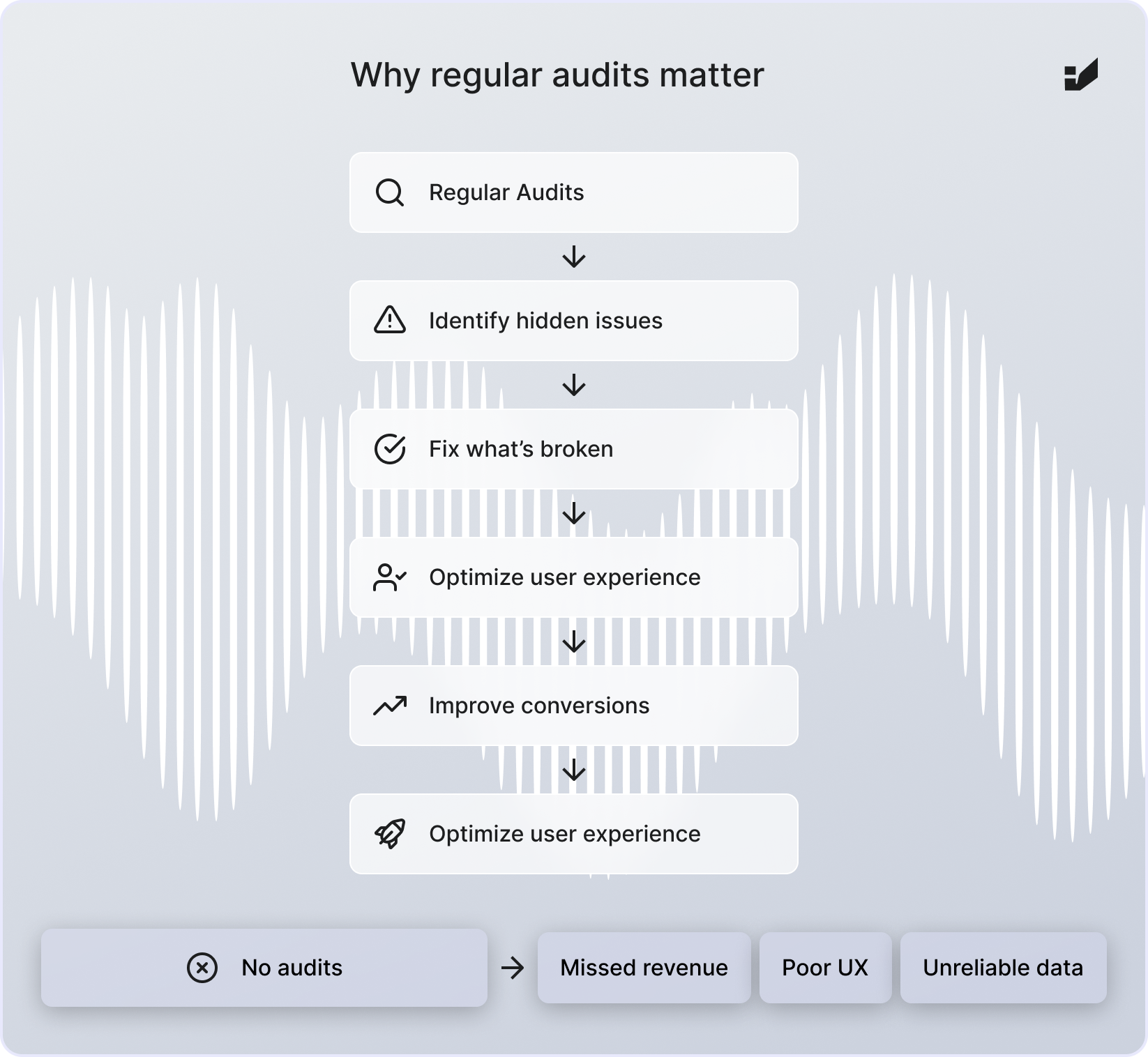
Analytics is never finished: platforms update, consent rules change and new channels appear. AI assistants are one of them. Their traffic is still small, but it converted 31% better than other traffic in Adobe’s US retail data for holiday 2025, so it’s worth measuring separately. Regular audits keep your data reliable enough to act on. Next step: use the data to boost conversions.
Boost sales with SEO + GEO.
FAQ: e-commerce analytics audits
What is an e-commerce analytics audit?
It’s a review of how your store collects and reports data, usually in GA4 and Google Tag Manager. It checks events, key events, consent, filters, attribution and integrations, and whether reported revenue matches your backend.
How often should I audit Google Analytics?
A full audit at least once a year, quarterly for large or fast-changing stores, and a focused check after every redesign, migration or tracking change.
Why doesn’t GA4 revenue match my store’s revenue?
Common reasons are users who decline consent, ad blockers, purchase events that fire twice or not at all, refunds not sent to GA4 and orders created outside the website. An audit quantifies and explains the gap.
Does GA4 have views and goals?
No. Views and goals were Universal Analytics features. In GA4, use data filters, comparisons and segments instead of views, and key events instead of goals.
Do I need Consent Mode v2?
If you use Google Ads or GA4 for users in the European Economic Area, yes. Since March 2024, Google requires consent signals through Consent Mode v2 to keep measurement, remarketing and ad personalization.
How do I track traffic from ChatGPT and other AI assistants?
Since May 2026, GA4 has a default AI Assistant channel that groups recognised chatbot referrers such as ChatGPT, Gemini and Claude. Check it in Traffic acquisition, and add a custom channel group for AI sources it doesn’t yet recognise. Visits without a referrer still appear as Direct.
Sources
- Google Analytics Help: Universal Analytics has been replaced by Google Analytics 4
- Search Engine Roundtable: Google Analytics conversion metrics updated to match Google Ads (key events) (Mar 2024)
- Google Analytics Help: Known bot-traffic exclusion
- Google Analytics Help: Data retention
- Search Engine Journal: Consent mode v2, key details for advertisers
- web.dev: Web Vitals
- web.dev: Milliseconds make millions
- Baymard Institute: Cart abandonment rate
- Adobe: AI-driven traffic surges across industries
- Search Engine Journal: Google Analytics adds AI Assistant as default channel group (May 2026)
About the author: This article was prepared by the Insightland SEO and GEO team. Insightland is a Wrocław-based agency, part of the Hexe Capital Tech Hub, that connects business, tech and data: SEO and GEO, performance marketing, UX and analytics, and SEO and AI training. Contact us.